
Samsung 27″ Essential S3 Review | Best Budget Curved 100Hz Monitor
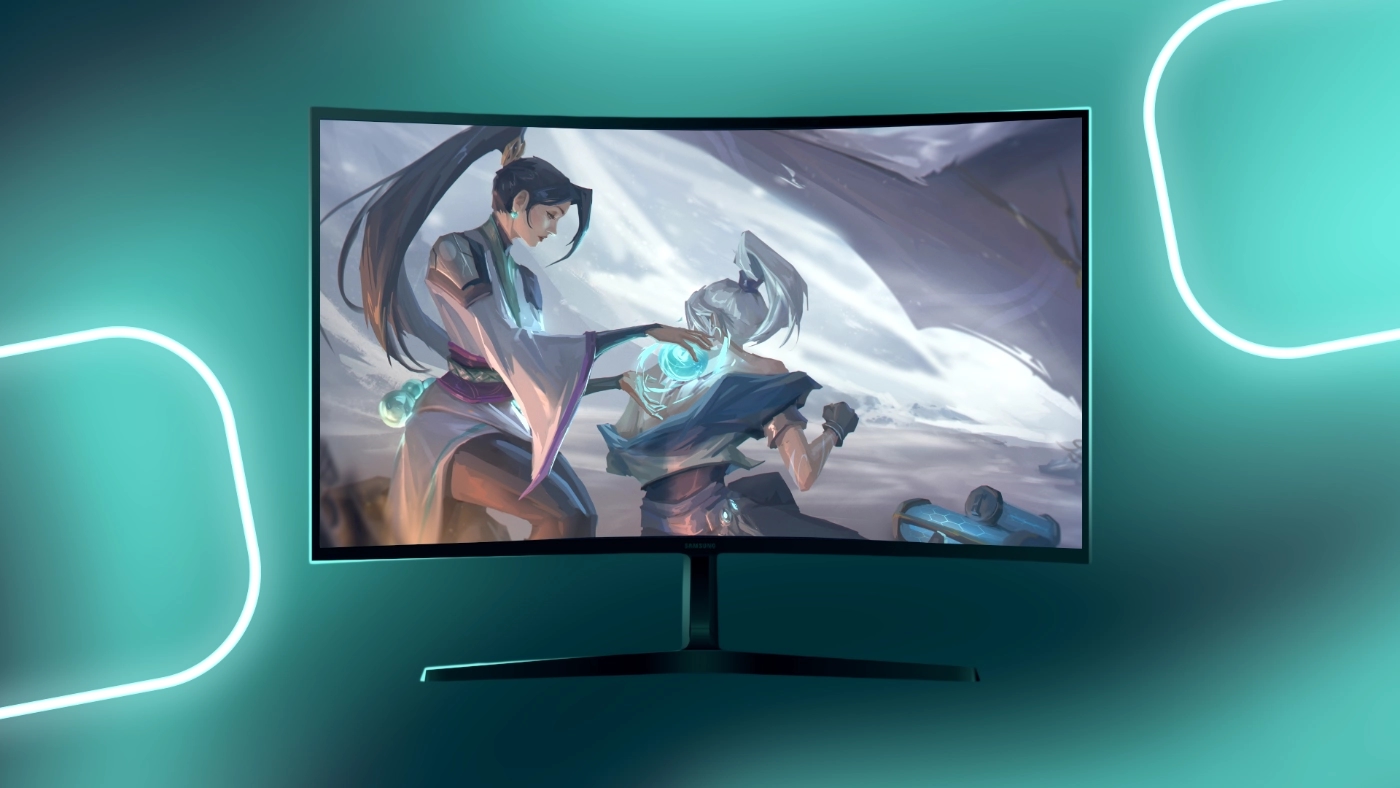
Summary
The Samsung 27″ Essential S3 (S36GD) is a top-value budget curved 100Hz monitor offering excellent contrast, smooth performance, and great eye comfort for just $134.99. With a strong 4.5★ rating from over 1300 reviews, it’s a standout choice for affordable gaming, home office work, and everyday use. While it lacks premium ergonomics and higher resolution, it remains one of the best 27-inch curved monitors under $150 thanks to its 100Hz VA panel, deep blacks, and clean modern design.
Pros
- +100Hz curved VA panel for smooth, immersive viewing
- +3000:1 contrast ratio with deep blacks
- +Strong eye comfort (Flicker-Free + Low Blue Light)
- +Clean, modern, lightweight design
- +Matte anti-glare screen
- +HDMI + VESA support
- +Excellent value for a 27″ curved budget monitor
Cons
- -Basic tilt-only stand
- -Only one HDMI port; no DisplayPort
- -1080p on 27″ is less sharp
- -Not ideal for color-critical work
- -250-nit brightness is moderate
| Product | Amazon |
|---|---|
| Samsung 27" Essential S3 |
Detailed Analysis
Our comprehensive review and testing results
Specifications at a Glance
Feature | Specification |
|---|---|
Screen Size | 27 inches |
Panel Type | VA |
Resolution | 1920 × 1080 |
Refresh Rate | 100Hz |
Response Time | 4ms |
Contrast Ratio | 3000:1 |
Brightness | 250 nits |
Curvature | 1800R |
Ports | HDMI, VGA |
VESA Mount | Yes |

1. First Impressions & Core Concept
The Samsung Essential S3 (S36GD) is built as an affordable 27 inch curved 100Hz monitor for users who want smooth performance at a low price. From the first setup, its clean minimalist design, lightweight body, and 1800R curved screen make it clear that the focus is on immersive viewing and eye comfort.
Samsung created this monitor for users who want:
- ✔ A budget curved gaming monitor
- ✔ Smooth motion from a 100Hz refresh rate
- ✔ Strong VA contrast with deeper blacks
- ✔ Comfortable long-term viewing
- ✔ A display suitable for gaming, work, and streaming
It is not targeted at premium markets or professional color work. Instead, the Essential S3 delivers the features that matter most in this price range: contrast, curvature, eye comfort, and overall value. For under 150 dollars, it performs far better than many monitors in the same category.

The Samsung Essential S3 features a gentle 1800R curve that creates a more natural and immersive viewing experience.
2. Design & Build Quality
The Samsung Essential S3 (S36GD) delivers a clean and modern look that exceeds what you typically see in the budget monitor category. Its thin bezels, matte black finish, and lightweight build make it a strong fit for gaming desks, offices, and home setups.
🎨 Visual Design
Samsung keeps the styling simple and modern. The thin bezels create a more immersive view, and the matte black finish blends into any environment. At only 8.4 pounds, the monitor is easy to move and perfect for VESA mounting on a wall or an adjustable arm.
🔄 1800R Curvature
The 1800R curve enhances immersion by matching the natural shape of your vision. This curvature helps reduce eye movement, supports long viewing sessions, and makes games and movies feel more engaging.
🪑 Stand and Ergonomics
The stand provides basic tilt adjustment and stable support, but it does not offer height, swivel, or pivot adjustments. This is typical for budget curved monitors. For more flexibility, you can mount the Essential S3 on a VESA arm to achieve full ergonomic control.

The Samsung Essential S3 delivers rich colors and strong contrast, making everyday content look vibrant on its curved VA panel.
3. Picture Quality - Setting Realistic Expectations
The Samsung Essential S3 (S36GD) delivers solid picture quality for a budget 27 inch curved monitor. While the 1080p resolution is not extremely sharp at this size, it still provides a comfortable viewing experience and performs well for gaming, streaming, and everyday use.
🌈 VA Panel Strength
The Essential S3 uses a VA panel known for its excellent contrast performance. With a 3000 to 1 contrast ratio, the monitor produces deeper blacks and richer color separation compared to most budget IPS displays. Dark scenes in movies and games look more detailed and cinematic.
🔆 Brightness Performance
The monitor is rated at 250 nits, which is well suited for home offices, bedrooms, and typical indoor environments. It is not ideal for very bright rooms or direct sunlight, but it performs consistently in normal lighting conditions.
🎨 Color Accuracy
The color reproduction is good for casual use and entertainment. It is not designed for professional color grading or high-end photo editing, but it works well for browsing, streaming, document work, and gaming. The strong contrast of the VA panel helps make colors appear richer and more vibrant.

The VA panel on the Samsung Essential S3 delivers deep contrast and vibrant colors that enhance creative and everyday visuals.
4. Colors, Contrast & Brightness
The Samsung Essential S3 (S36GD) focuses on delivering strong contrast and rich color depth, which are key advantages of its VA panel technology. These strengths make movies, games, and everyday content look more dynamic compared to typical budget IPS alternatives.
🌈 VA Panel Advantages
The monitor uses a VA panel with an impressive 3000 to 1 contrast ratio. This allows the screen to produce deeper blacks, clearer shadows, and more definition in darker scenes. Users who watch movies or play atmospheric games will notice a more cinematic look.
🔳 Deep Blacks and Shadow Detail
The high contrast level helps create punchy images with clear separation between dark and bright areas. This is especially noticeable in games and HDR-style cinematic content, where VA panels outperform most inexpensive IPS monitors.
🔆 Brightness Level
With a 250 nit brightness rating, the Essential S3 performs well in typical indoor environments. It is bright enough for home offices, gaming spaces, and general use. It is not designed for direct sunlight or very bright rooms, but it maintains good clarity in normal lighting.
🎨 Everyday Color Performance
The monitor offers roughly 95 percent sRGB coverage, which is suitable for casual media, streaming, and gaming. While it is not intended for professional color-critical work, the combination of strong contrast and balanced color reproduction makes it visually appealing for everyday content.

The Samsung Essential S3 delivers smooth 100Hz performance that enhances motion clarity and responsiveness in fast paced games.
5. Gaming Performance
The Samsung Essential S3 (S36GD) performs surprisingly well for a budget curved gaming monitor. Its 100Hz refresh rate and fast VA response provide a smooth and responsive experience for casual and mid-level gaming.
🎮 100Hz Refresh Rate
The jump from 60Hz to 100Hz is immediately noticeable. Motion feels smoother, aiming feels more controlled, and fast-action games benefit from reduced blur. This refresh rate is ideal for players who want a smoother experience without paying for high-end 144Hz models.
⚡ 4 Millisecond Response Time
The monitor offers a 4 millisecond response time, which keeps motion clean for a VA panel. Ghosting is minimal in most games, and overall clarity is solid during fast on-screen movement.
🔧 G Sync Compatible
The Essential S3 supports G Sync Compatible mode, which helps remove screen tearing, micro stutters, and inconsistent frame pacing. This makes gameplay more stable and more enjoyable, especially on systems with fluctuating FPS.
🕹️ Best For Popular Titles
The performance is well suited for games like:
- Valorant
- Fortnite
- Overwatch
- Apex Legends
- CS2
- RPG and open world games
Competitive esports players may prefer 144Hz or higher, but for budget gaming, the Essential S3 performs far above expectations.

6. Eye Comfort - A Major Highlight
The Samsung Essential S3 (S36GD) places strong emphasis on eye comfort, which makes it a reliable choice for long work sessions, late night gaming, and everyday use. Samsung includes several features that help reduce strain and support healthier viewing habits.
👁️ Flicker Free Backlight
The monitor uses a Flicker Free backlight that keeps brightness levels stable. This helps prevent the subtle flickering that can cause headaches and fatigue during long sessions.
🔵 Low Blue Light Mode
A built in Low Blue Light mode reduces harsh blue wavelengths that can disrupt sleep or cause eye discomfort. This setting is especially useful for night time use or extended productivity sessions.
✨ Anti Glare Surface
The screen has a matte anti glare coating that reduces reflections and improves visibility in bright or mixed lighting. It helps maintain clarity without introducing grain or haze.
🧘 Long Session Comfort
Many users report noticeably reduced eye strain during long gaming, studying, or work periods. Combined with the 1800R curvature, the Essential S3 encourages a more natural and relaxed viewing experience.

The Essential S3 includes a simple set of ports with HDMI, VGA, and DC power for broad device compatibility.
7. Connectivity & Features
The Samsung Essential S3 (S36GD) includes simple but reliable connectivity options that work well for most everyday setups. While it does not offer premium ports, it covers the essentials for gaming consoles, PCs, and older devices.
🔌 Ports and Compatibility
The monitor provides two primary inputs:
- 1 HDMI port
- 1 VGA (D Sub) port
The HDMI port fully supports the monitor’s 100Hz refresh rate, making it suitable for gaming PCs and modern laptops. The VGA port offers compatibility for older systems.
⚙️ Useful On Screen Features
Samsung includes several helpful features that improve the overall experience:
- Game Mode for enhanced contrast and color
- Eye Saver Mode for reduced blue light
- Picture presets for movies, work, and general use
- Auto source switching for quick device changes
These features allow easy tuning based on the user’s activity.
🧩 Slim Body and VESA Support
The monitor has an ultra slim design that fits cleanly into minimal setups. It also includes VESA mount support, allowing users to attach the display to monitor arms or wall mounts for improved ergonomics.
8. Real User Feedback & Trends
⭐ What Users Like
Most users praise the Essential S3 for its strong combination of price, performance, and comfort. Common highlights include:
- Excellent value for a 27 inch curved 100Hz monitor
- Strong color depth and high contrast
- Smooth gaming performance
- Comfortable long term viewing
- Clean and modern design
For many customers, the monitor exceeds expectations for its low price.
👎 Common Complaints
There are a few recurring criticisms, mostly tied to the budget focused design:
- Only one HDMI port
- No height adjustment
- 1080p looks less sharp at 27 inches
- Brightness is average
Some long term users also mention occasional durability concerns, although this varies by unit.
9. Who Is the Samsung Essential S3 (S36GD) For?
The Samsung Essential S3 (S36GD) is designed for users who want strong performance at a budget friendly price. Its mix of smooth 100Hz motion, curved VA visuals, and eye comfort features makes it a versatile choice for many types of setups.
✔️ Perfect For
- Budget gamers who want smoother motion than 60Hz
- Students who need an affordable and comfortable daily monitor
- Home office users who work long hours
- Casual entertainment such as streaming and browsing
- Fans of curved screens who want extra immersion
- Long study or work sessions that benefit from Flicker Free and Low Blue Light features
❌ Not Ideal For
- Professional color work or photo editing
- Users who need 1440p or 4K resolution
- Competitive esports players who require 144Hz or higher
- Bright rooms with direct sunlight where higher brightness is needed
🎯 Summary Fit
This monitor is best for anyone who wants a 27 inch curved 100Hz display that balances price, performance, and comfort without extra complexity or high cost.
Final Verdict
Our final thoughts and recommendations
The Samsung Essential S3 (S36GD) stands out as one of the strongest choices in the budget curved monitor category. Its combination of a 100Hz refresh rate, VA contrast, 1800R curvature, and eye friendly features delivers impressive performance for a very low price.
🎮 Performance and Value
For gaming, work, studying, and everyday use, the Essential S3 offers smooth motion, deep blacks, and a comfortable viewing experience.
💡 Where It Shines
It excels in value, immersion, contrast quality, and long session comfort.
🔍 How It Compares
Against alternatives like the AOC C27G2 or ViewSonic VX2718, the Essential S3 delivers similar smoothness with better contrast and often a lower price, making it a standout budget choice.
🏆 Final Recommendation
If you want a 27 inch curved 100Hz monitor that delivers great performance for its cost, the Samsung Essential S3 is one of the best budget options available for 2024 and 2025.
❓FAQ
Tags
Check Prices
We may earn a commission when you purchase through our links. This helps support our reviews at no extra cost to you.
| Product | Amazon |
|---|---|
| Samsung 27" Essential S3 |
Prices may vary based on availability and promotions


Related Posts
Corsair Void RGB Elite Wireless Gaming Headset – 7.1 Surround, Omni Mic, Up to 40ft Range, Carbon
Gaming headphones are no longer just an accessory; they are an essential tool for serious gamers. The Corsair Void RGB Elite Wireless Gaming Headset promises high-quality audio, comfort, and advanced features for PC and console gamers alike. After testing this headset extensively, I can share my personal experience with all its aspects – sound, microphone, design, wireless performance, comfort, and gaming experience. Corsair is a well-known brand in gaming peripherals, and the Void RGB Elite seems to live up to its reputation. From unboxing to hours of gameplay, this headset delivers on almost every promise. In this review, I will break down all the features, pros, cons, and share my personal thoughts on whether it’s worth your money.

Turtle Beach Stealth 600 Wireless: 50 mm Drivers, 2.4 GHz + Bluetooth, 80‑Hr Battery
As a gamer who spends hours every day in immersive worlds, I’m always on the lookout for a headset that combines comfort, sound quality, and versatility. The Turtle Beach Stealth 600 Wireless caught my attention for its claims of long battery life, low-latency connectivity, and cross-platform compatibility. After spending several weeks testing it across PS5, PC, and mobile devices, I can confidently say this headset is a strong contender for any serious or casual gamer looking for a reliable all-in-one solution. This headset promises an impressive 80-hour battery, 50mm Nanoclear speakers, and dual wireless modes: 2.4GHz low-latency wireless for console/PC gaming and Bluetooth 5.2 for mobile devices. But how does it perform in real life? Let’s dive deep into my experience.

Razer BlackShark V2 HyperSpeed Wireless Gaming Headset
When I first got the Razer BlackShark V2 HyperSpeed, I was a bit skeptical. 🙃 Razer’s wireless gaming headsets always sound great on paper, but can they really compete with wired models and other premium brands? After several weeks of almost daily use—from Valorant and Apex Legends to movies and music—I can confidently say these headphones surprised me. Here’s my detailed review with personal impressions
Comments (0)
Add a Comment
Loading comments...